Sometimes you wonder “history commit git”. Use this command to hack git log or history on the current directory.
git log # yap, this basic commands git to saw history commitDefault output, a bit too much and messy right?
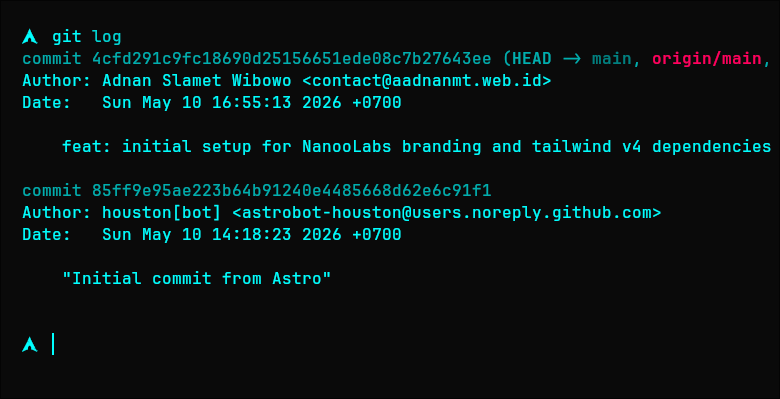
So, break down some command hack for git log:
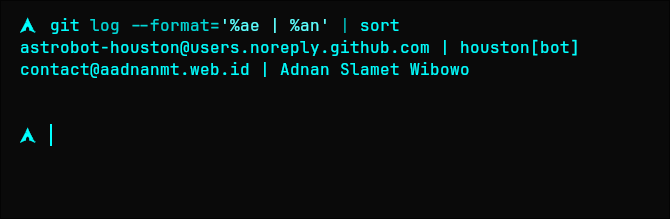
git log: basic commands git to saw history commit.--format='%ae | %an': change format output default git.%ae: take author email.|: pipe separator.%an: take author name.
| sort: throw hasil from git to terminal and sorting alphabet based email address.
After we filter and sort by email, clean and simple:
git log --format='%ae | %an' | sortAdvanced hack for visual history:
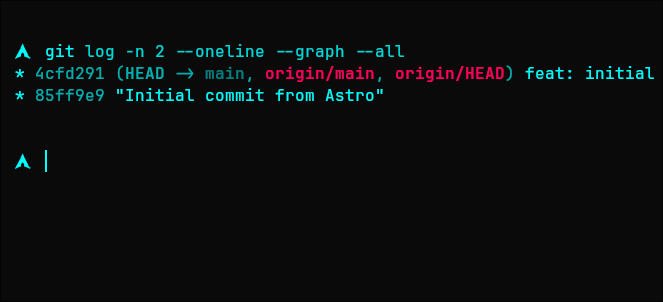
git log: basic commands git to saw history commit.-n 2: limit output only for the last 2 commits.--oneline: condense each commit into a single line (hash + subject).--graph: draw a text-based graphical representation of the commit history.--all: show history for all branches, not just the current one.
Visual graph, now you see all flow branch clearly. whoahhh:
git log -n 2 --oneline --graph --allcurrently you know ~ see you again ^_^