Sometime you want to see what a command will do without actually doing it. git push --dry-run previews the push instead of executing it
Basic usage
git push --dry-runYou know what will happen before you push your local commit. Example:
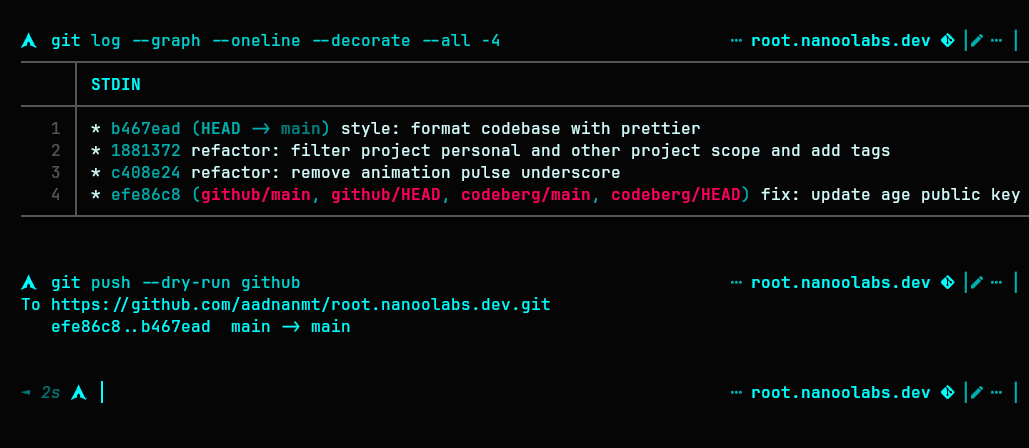
The dry-run output shows exactly what a real push would transfer, but no objects are sent:
To https://github.com/aadnanmt/root.nanoolabs.dev.git
   efe86..b467ead main -> main
Compare with a real push, which actually uploads the objects:
$ git push
Enumerating objects: 9, done.
Counting objects: 100% (9/9), done.
Delta compression using up to 4 threads
Compressing objects: 100% (5/5), done.
Writing objects: 100% (5/5), 23.00 KiB | 5.00 MiB/s, done.
Total 5 (delta 4), reused 0 (delta 0), pack-reused 0 (from 0)
remote: Resolving deltas: 100% (4/4), completed with 4 local objects.
To https://github.com/aadnanmt/root.nanoolabs.dev.git
   efe86..b467ead  main -> main
The only difference: dry-run stops before transfer. Nothing is sent.
Break down the command
git push: push commits to remote--dry-run: simulate the push and show what would happen
Works with other commands too
git fetch --dry-run
git clean -n   # -n is the dry-run shothand
git rm -n
Not every subcommand supportts it. git merge, git rebase, and git stash have no --dry-run flag and will error out
Use --dry-run whenever you’re unsure about a command. It is safe.